 APlay 1.2
A capable player.
A simple way to watch.
Local videos, network media and the controls that make the difference. Get to know Avora APlay for Mac.
Download on the Mac App Store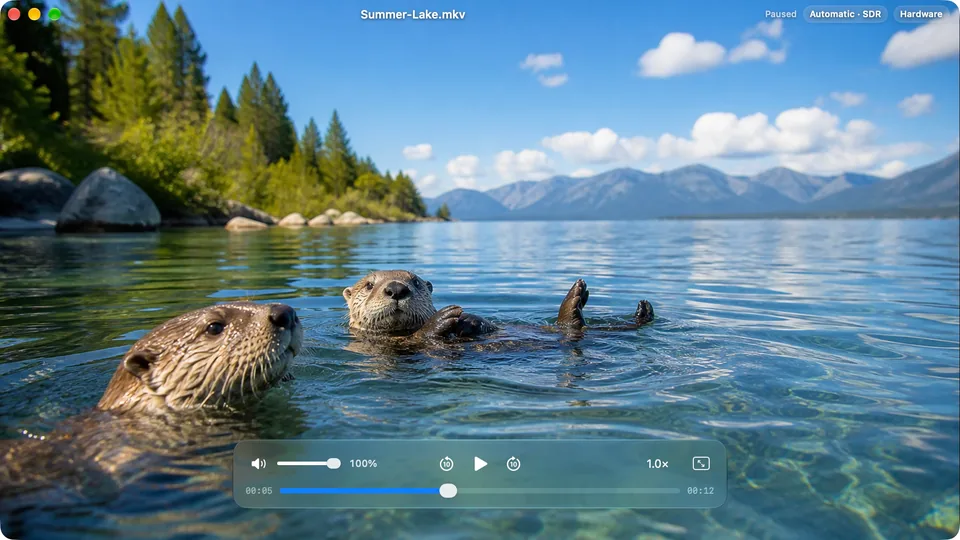
FILES & CONNECTIONS
Your media,
where you keep it.
- Local video
- Open MKV, MP4, MOV, AVI, WebM and other popular containers. Drag a file from Finder or use File → Open. Compatibility depends on the codecs inside the container.
- NAS and shared folders
- Browse SMB / Samba and WebDAV servers. Discover local servers and save connections for later.
- Media URLs
- Open direct HTTP, HTTPS, HLS and SMB media URLs. APlay is a media player; a website page URL is not necessarily a playable media URL.
- Hardware decoding
- Playback built for Apple silicon, with hardware decoding for supported media. Performance depends on the source file and your Mac.
PLAYBACK & PICTURE
Find your moment.
Fine-tune the details.
- Seeking and speed
- Preview in the full picture while seeking, use arrow-key controls, choose playback speeds from 0.5× to 3×, or step backward and forward frame by frame with the comma and period keys.
- Zoom and pan
- Zoom from 100% to 800% with trackpad pinch or the mouse wheel. Pan with two fingers or the middle mouse button. An on-screen indicator shows the current zoom.
- Aspect ratio and color
- Choose automatic sizing or aspect ratios including 16:9, 4:3 and 21:9. Use picture styles or adjust brightness, contrast, saturation, gamma, temperature and tint.
- HDR output
- HDR and XDR support on compatible displays. The result depends on the source media, your display and macOS settings. Website screenshots use SDR demonstration media.
- Subtitles
- Switch embedded tracks or load external SRT, ASS, SSA and VTT subtitles. Adjust timing to keep dialogue and text together.
- Audio
- Switch audio tracks, play multi-channel audio up to 7.1 and adjust volume up to 400%. Available output depends on your audio device and the source.
BUILT FOR MAC
Fits your day.
- Mini player
- A floating window that fits portrait and landscape videos, keeping playback close while you use other apps.
- History and resume
- Pick up from your last position. Manage or clear playback history and change history-saving and resume preferences in Settings.
- Native appearance
- Choose appearance and language preferences. Native Liquid Glass controls are available on macOS 26 and later. The app interface supports 24 languages.
- System requirements
- macOS 14 or later. A Mac with Apple silicon (M1 or later). Intel Macs are not supported.
- No account required
- Open and play without an APlay account or a media-library import. Local playback works without a network connection. Read the privacy policy.